Beta Development
Since the beginning of beta development, I’ve primarily worked on polishing sprites and dialogue. Our team focused on adding signifiers to our build in preparation for playtesting, as we want to ensure our gameplay can be discovered independently. One of the sprites we were missing was the key to the boss door. This was important to rectify as obviously players needed a visual indicator of the key’s location, but the key is also meant to represent a referral for a doctor’s appointment and is set up early in the narrative.

Referral sprite

Interaction sprites
I also made sprites that pop up when the player is near an NPC or interaction point. They eliminate cognitive load by giving players a consistent visual signifier without being in the way. I implemented all of these sprites in-engine using/adapting the process I documented for the NPC sprites.
I wasn’t able to be present last week due to other commitments, and to compensate, I tried to complete tasks early and share the assets with my team in case I couldn’t implement them myself. The final tasks I had related to the dialogue. I was responsible for both the NPC and the enemy recruitment dialogue.
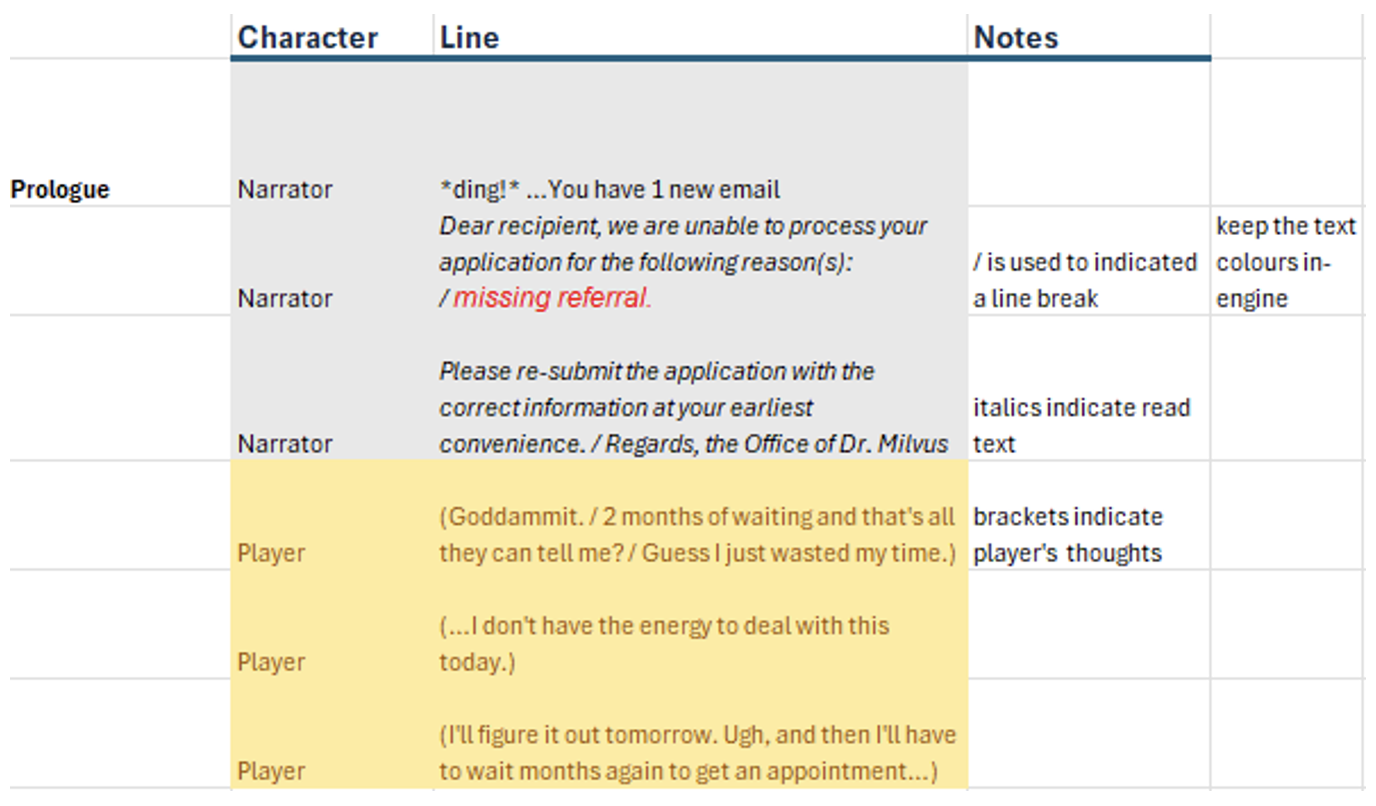
NPC dialogue
Thankfully, I had an early start to writing NPC dialogue. The ideas presented in our earlier playtesting sessions successfully conveyed the game’s themes and character goals, so I had a good direction for refining the dialogue. The recruitment dialogue was much harder.
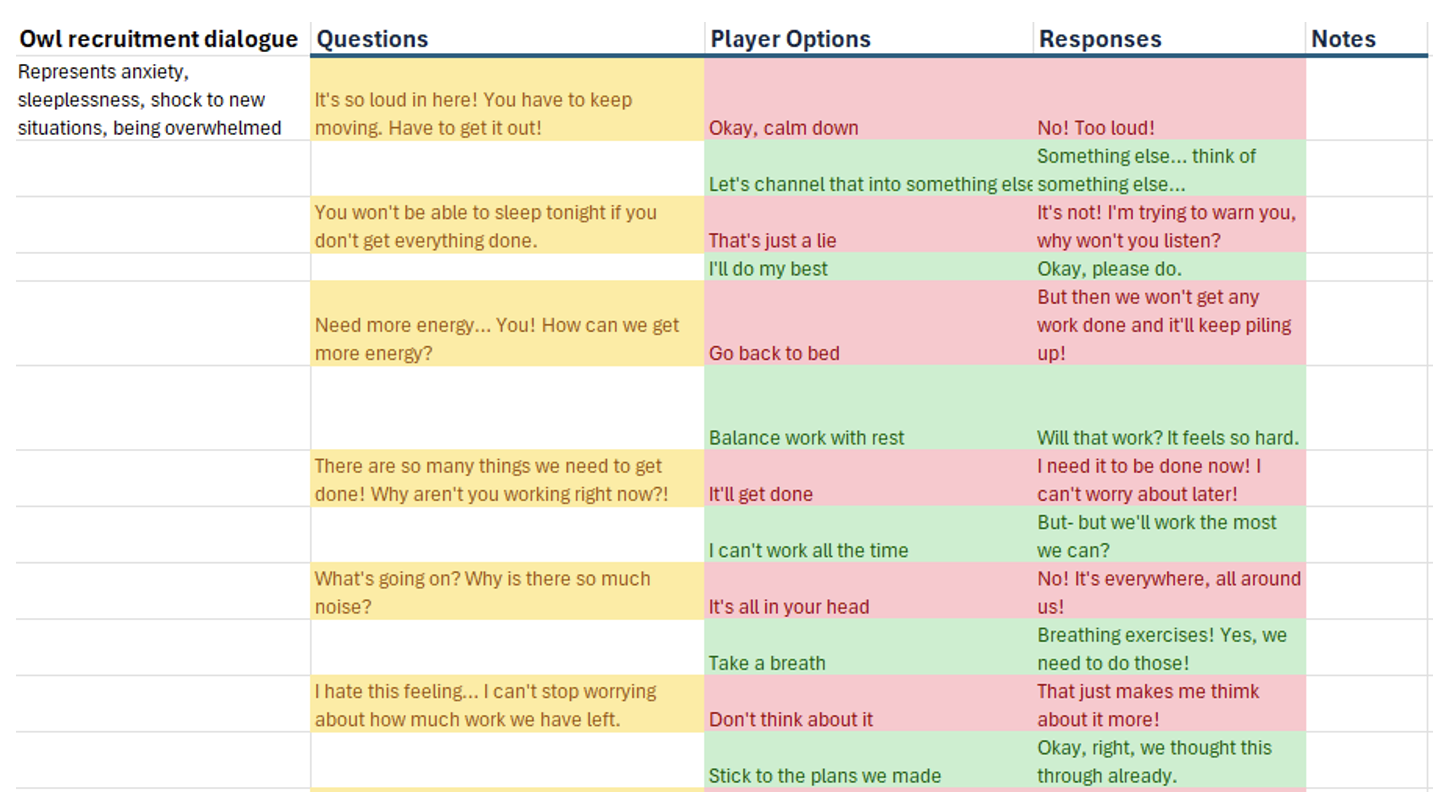
Recruitment dialogue sheet
The inspiration for our recruitment system comes primarily from the Shin Megami Tensei/Persona franchise, so I looked to the recruitment conversations in those games. I wanted to see how they adapted the enemies’ personalities through the questions they used to challenge the player, and make sure the questions I wrote were cohesive, with results that made logical sense.
I finally settled on something that would work for our playtest. So next, I had to research how to implement the dialogue in Godot. Luckily, there are many tutorials for Godot’s dialogue manager plug-in, and it was a very straightforward process.
https://www.youtube.com/watch?v=08HHSQGXfgM
Tutorial I used to learn the dialogue manager
From there, it should just be transferring the dialogue I wrote in-engine!
Leave a comment
Log in with itch.io to leave a comment.